What's New
Supercharged for Speed & Control:
What's New in v1.4.3
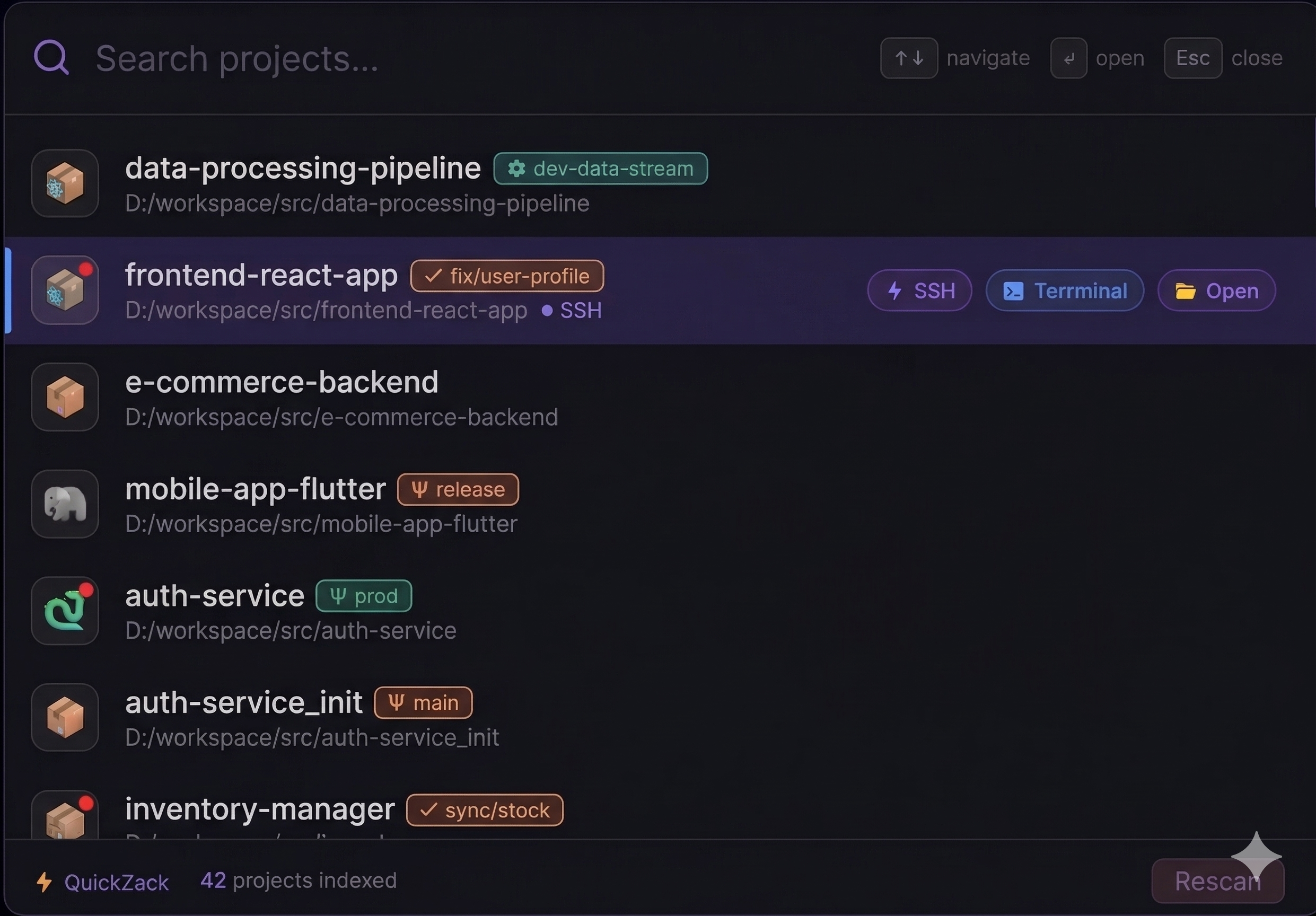
QuickZack is a lightning-fast project launcher for developers. Hit Alt+Space anywhere, type a few letters, and your project opens instantly in your favorite editor.
No fluff, no bloat — just a fast, keyboard-driven launcher that gets out of your way.
editor_command in config and you're done.
QuickZack puts unprecedented power at your fingertips. Designed for absolute control, it's not just a customizable experience, it's your complete command center.
Create files, new folders, archive directories, and manage your local or remote file system with native, powerful command integration.
Instantly check environment health. View installed packages: node, composer, php, npm, etc. Get a clear overview of your instance's stack and performance.
Launch your project directly in your preferred editor, open a dedicated terminal instance, or establish an SSH shell instantly. One click, total flexibility.
Native Git integration. Instantly view clean/unpushed branch status. Green badges for clean, Orange for pending. Understand your local and remote repositories in real-time without ever opening a terminal.
Full remote file structure navigation. Browse remote project files, create new files or folders, and rename items directly from the sidebar. Total filesystem visibility across all your SSH instances.
Perform core management tasks from the sidebar. Archiving and de-archiving folders, checking installed software (e.g., node, composer, php, etc.), and managing system services, with comprehensive controls for remote instances.
A new standard in project management. Go, without a setup wizard, in seconds.
On Windows, download the high-performance installer (.exe). On macOS, acquire the
DMG, and drag to Applications. Zero admin required.
Instantly configure with the tray icon or edit config.json to set your
projects_path (e.g., ~/Projects, C:/xampp/htdocs). Total control.
QuickZack executes a lightning-fast scan, instantly listing all projects. Type to filter, Press Enter to open. Frictionless flow.
That's it. No more hunting through File Explorer or memorizing paths. Just type and go. You're now a power user.
One JSON file controls everything. Edit it from the tray icon with your system text editor — no restarts needed after rescan.
code for VS Code, phpstorm for PHPStorm, or any custom
command.Alt+Space. Change to anything you
prefer.node_modules, .git, vendor, etc.No license keys. No subscriptions. Just a fast, free tool built for developers.
After installing, look for the ⚡ icon in your system tray / menu bar.
Right-click → Edit config.json to set your projects folder.
Then press Alt+Space anywhere to start launching!
macOS: right-click → Open on first launch to bypass
Gatekeeper.